

Documentation Index
Fetch the complete documentation index at: https://octomind.dev/docs/llms.txt
Use this file to discover all available pages before exploring further.
Prompt the Agent to generate a specific test case
If you want to translate a custom user flow into a test, you can have AI generate it from your prompt. Give us a short prompt and we deploy ourAI agent to find the interactions leading towards your desired user flow.
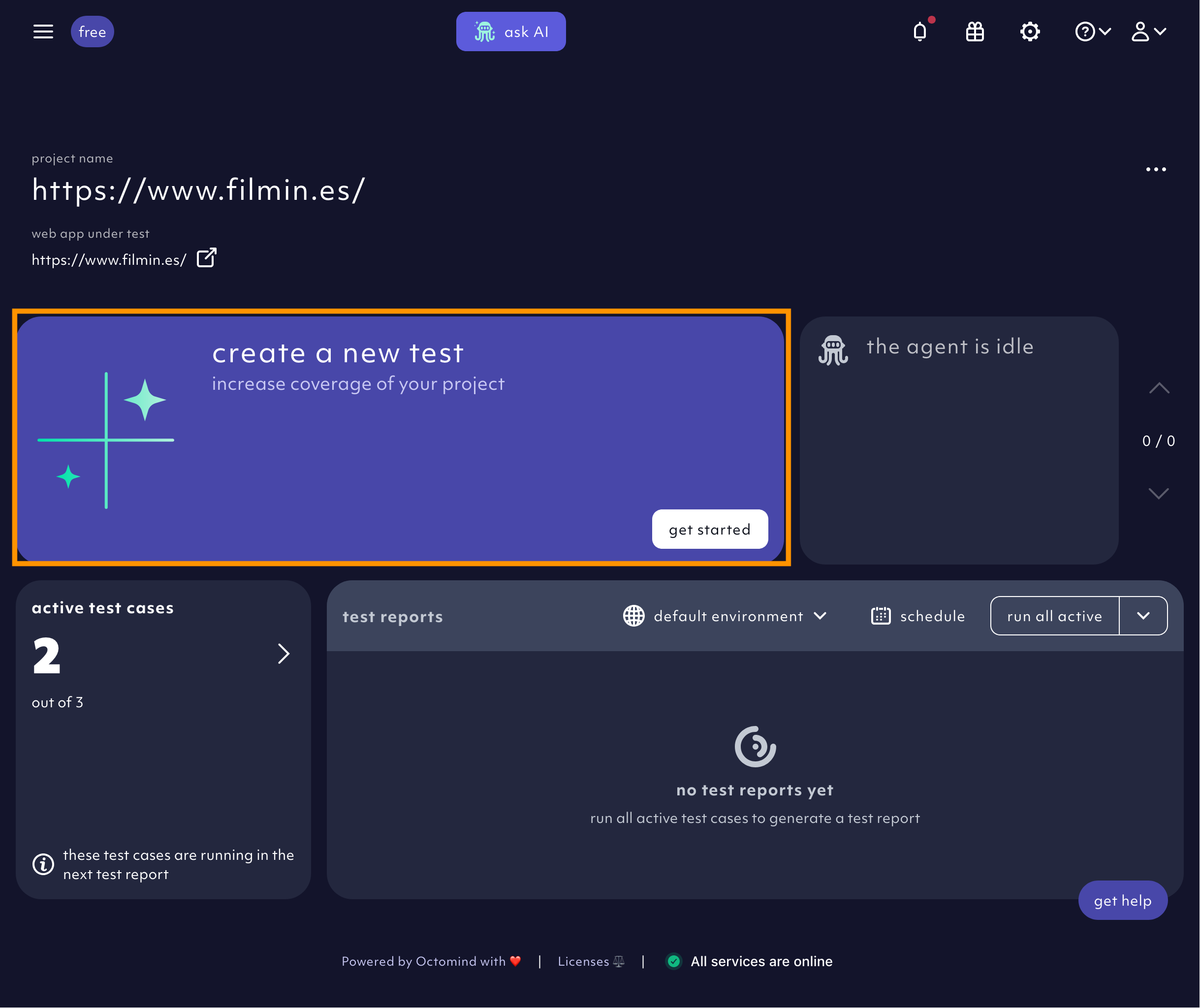
Refine the prompt
You didn’t sign up to be a full-time prompt engineer - and you don’t have to. We have tuned the Agent to clean up and enrich whatever natural-language prompt you give it. The Agent expanded that prompt into a structured prompt with three clear sections:- Test INTENT: a description of the user journey
- INSTRUCTIONS: the concrete interactions (steps) to perform
- EXPECTED OUTCOME: the final state, ready to become an assertion.
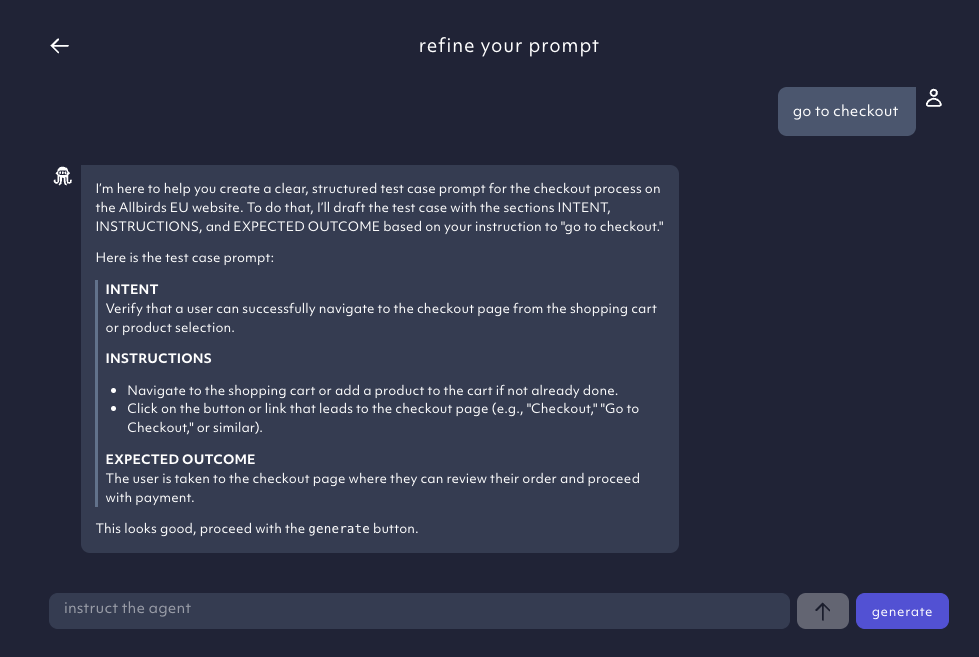
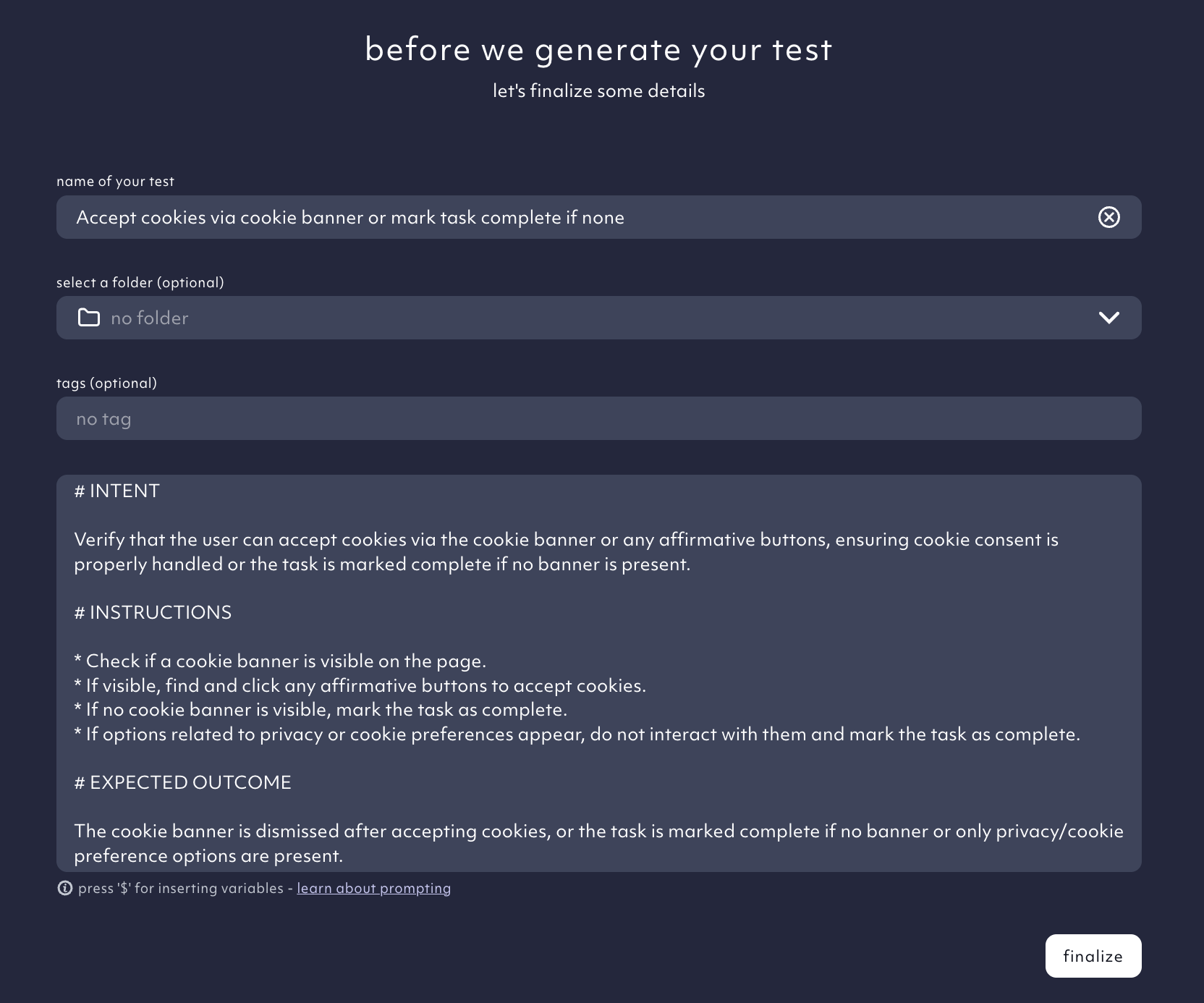
generate to add details, rename the test or refine the prompt. When everything is all set, click finalize.
Test case generation
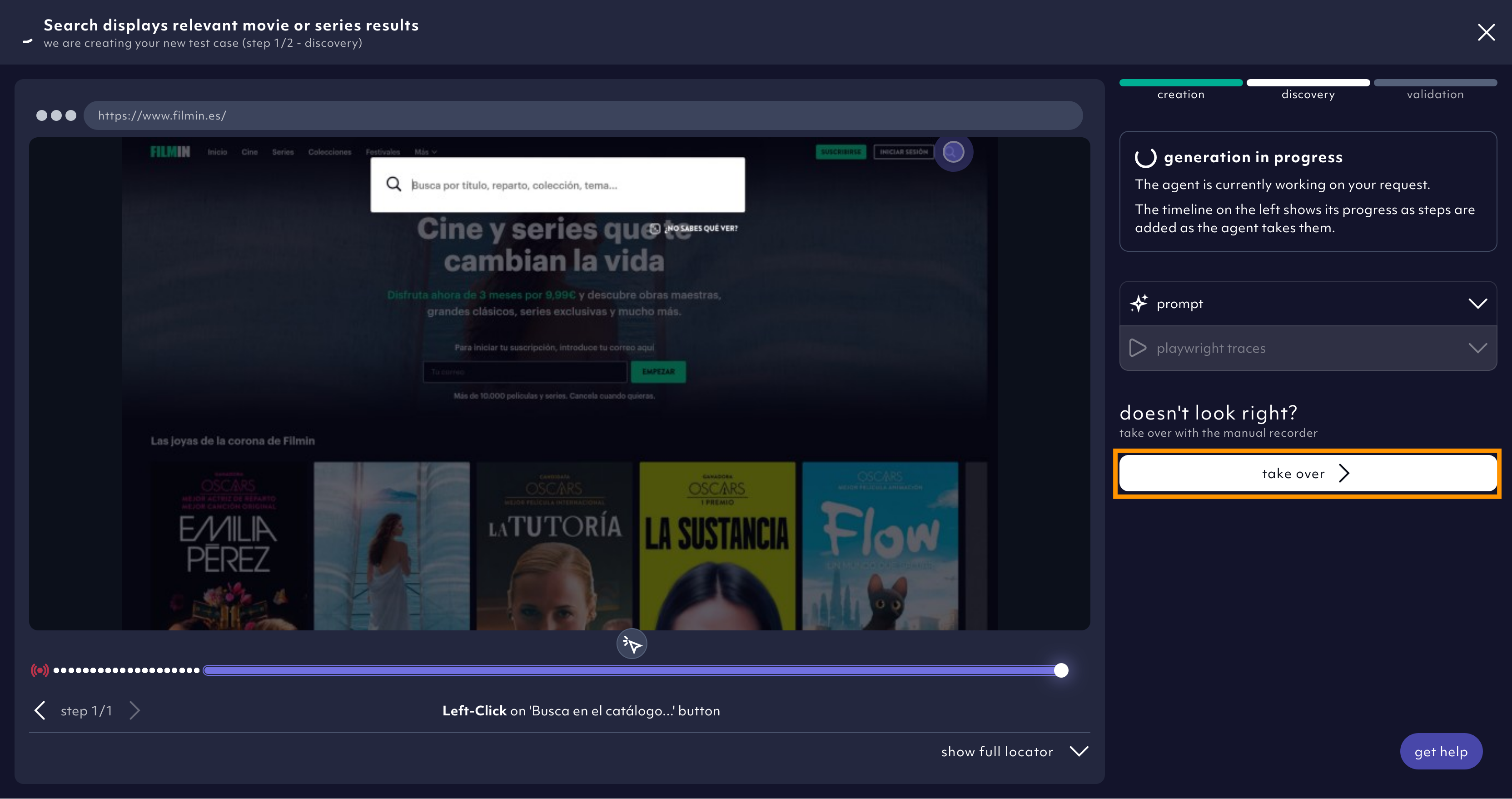
While ourAI Agent generates the steps of your test cases, it informs you about its progress.
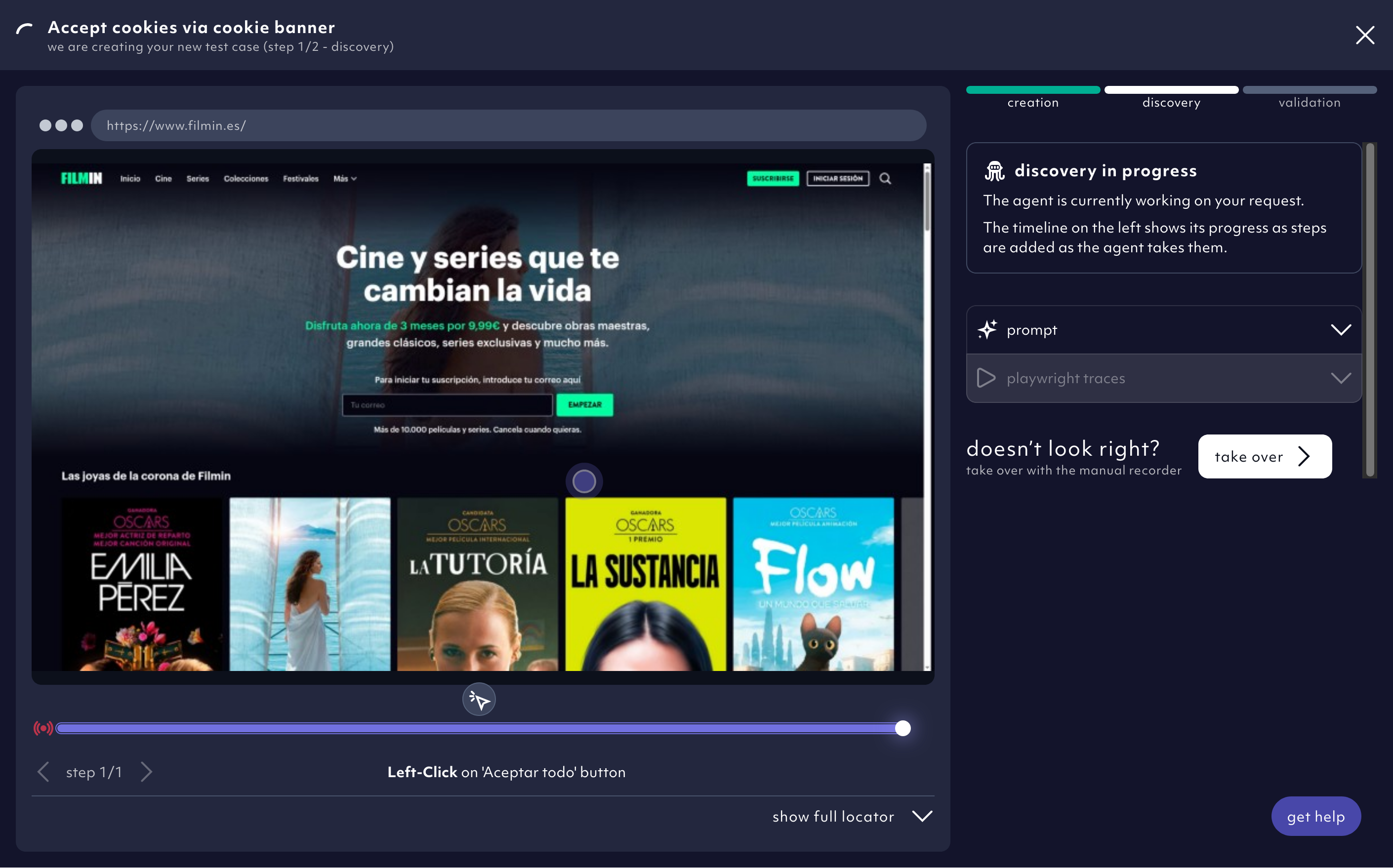
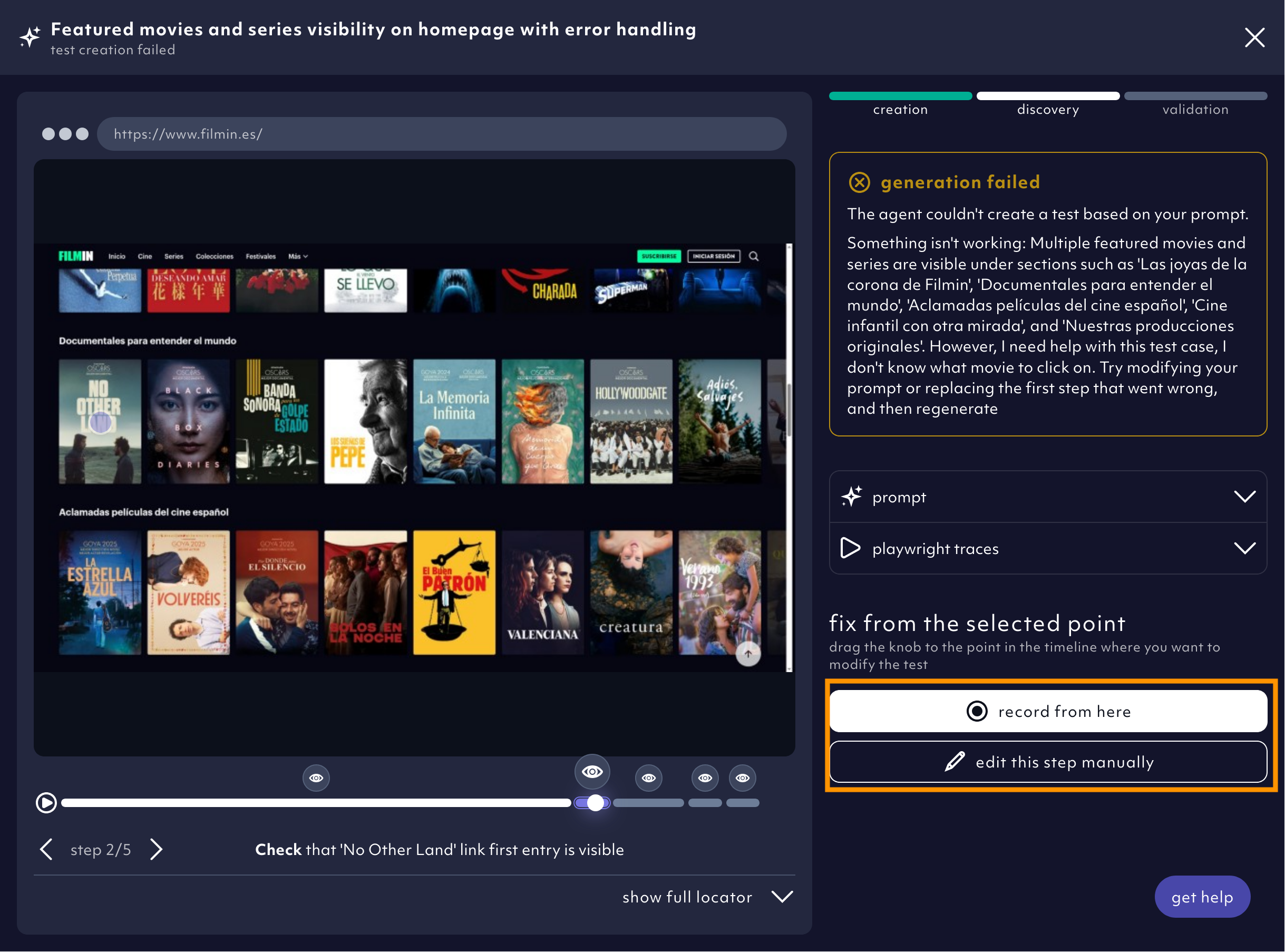
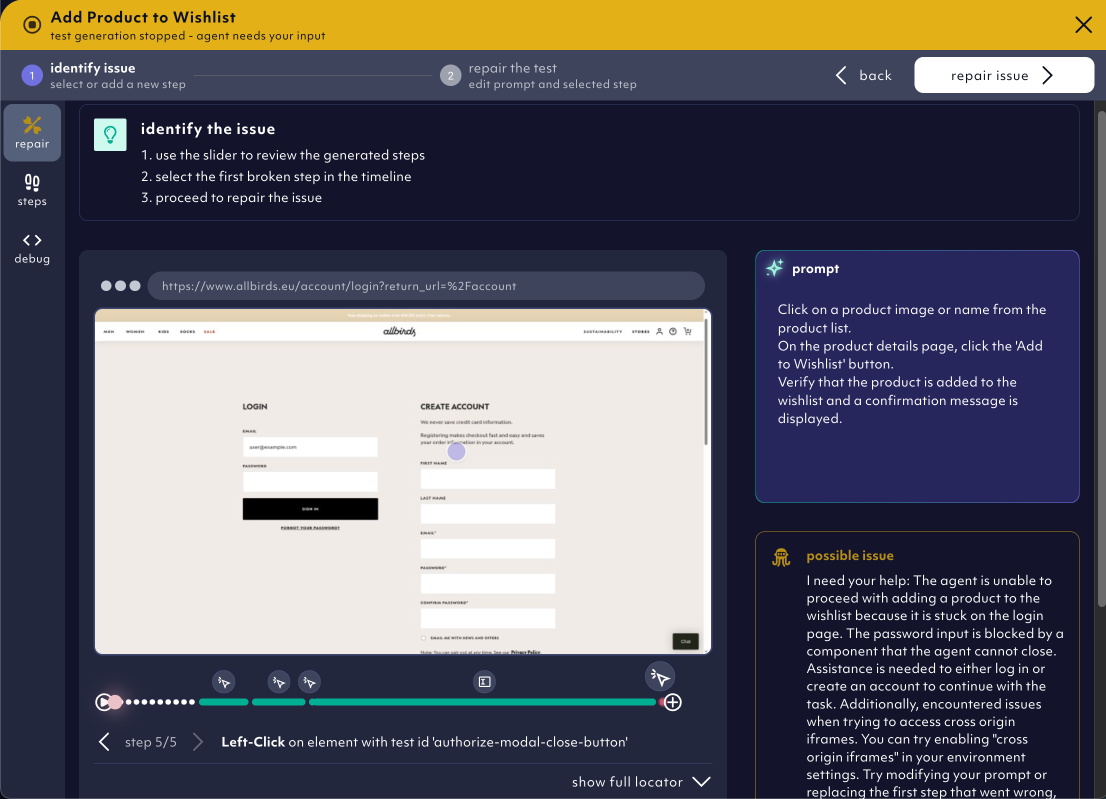
record from here or edit step manually to help the Agent finish the generation successfully.
Pre-prompted login test
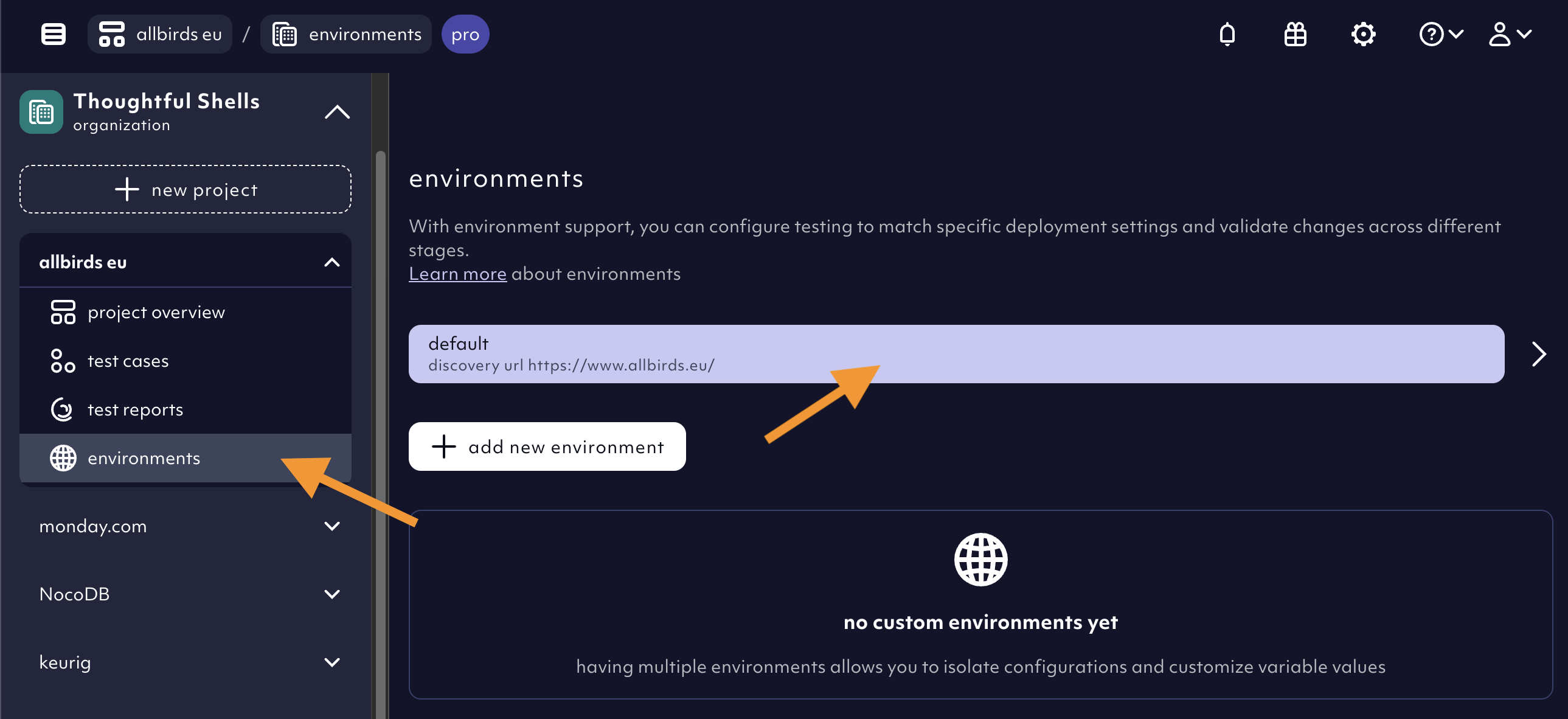
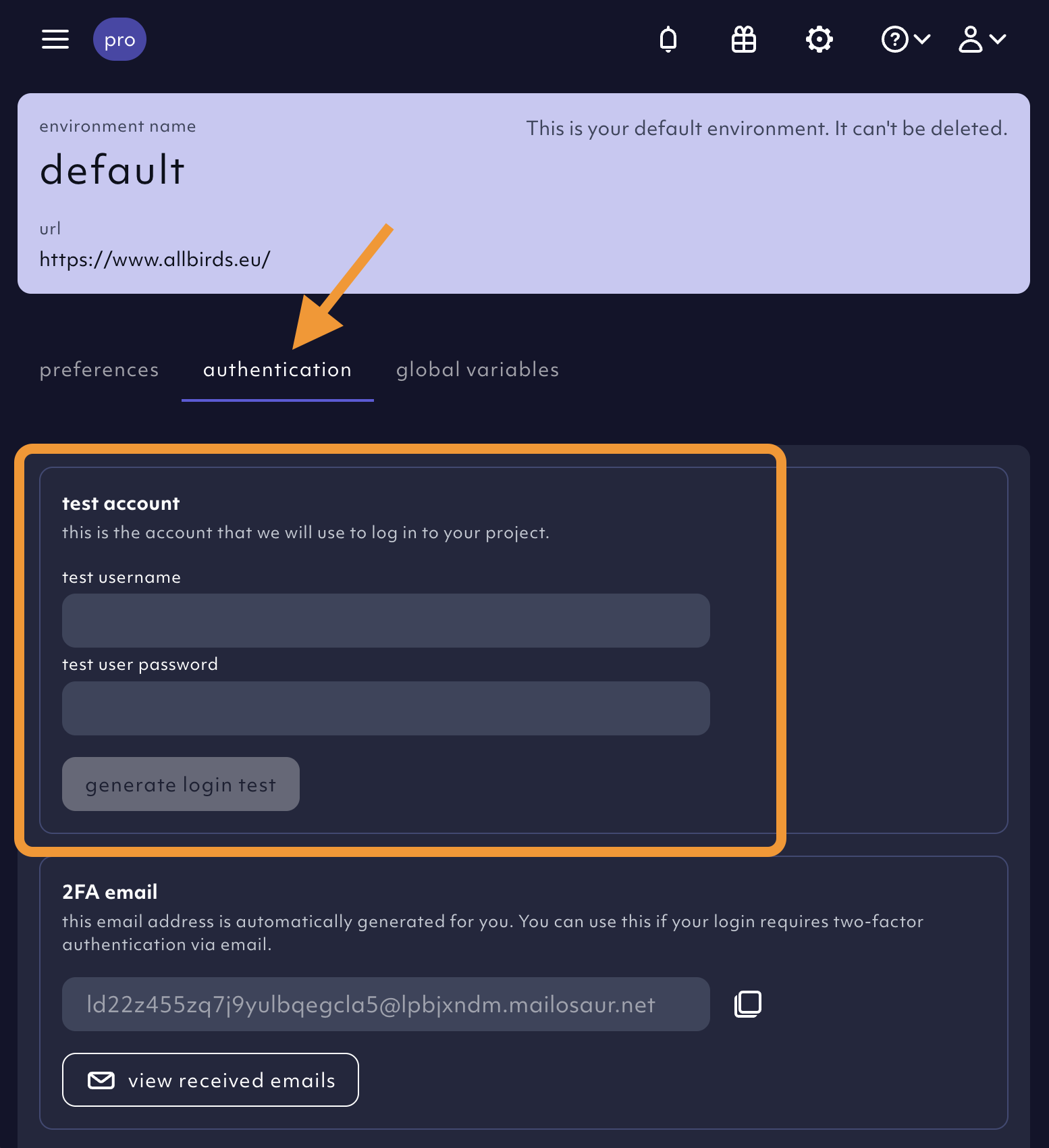
If your app has a login functionality that wasn’t AI auto-generated during set-up, we have a pre-prompted login test case for you. You can trigger it after giving us test user credentials. Go to theenvironments menu item in the left project menu bar and click on the default environment in the list.
Select the authentication tab and add test user credentials we can use to generate the login test.
Chain tests for faster test runs & maintenance
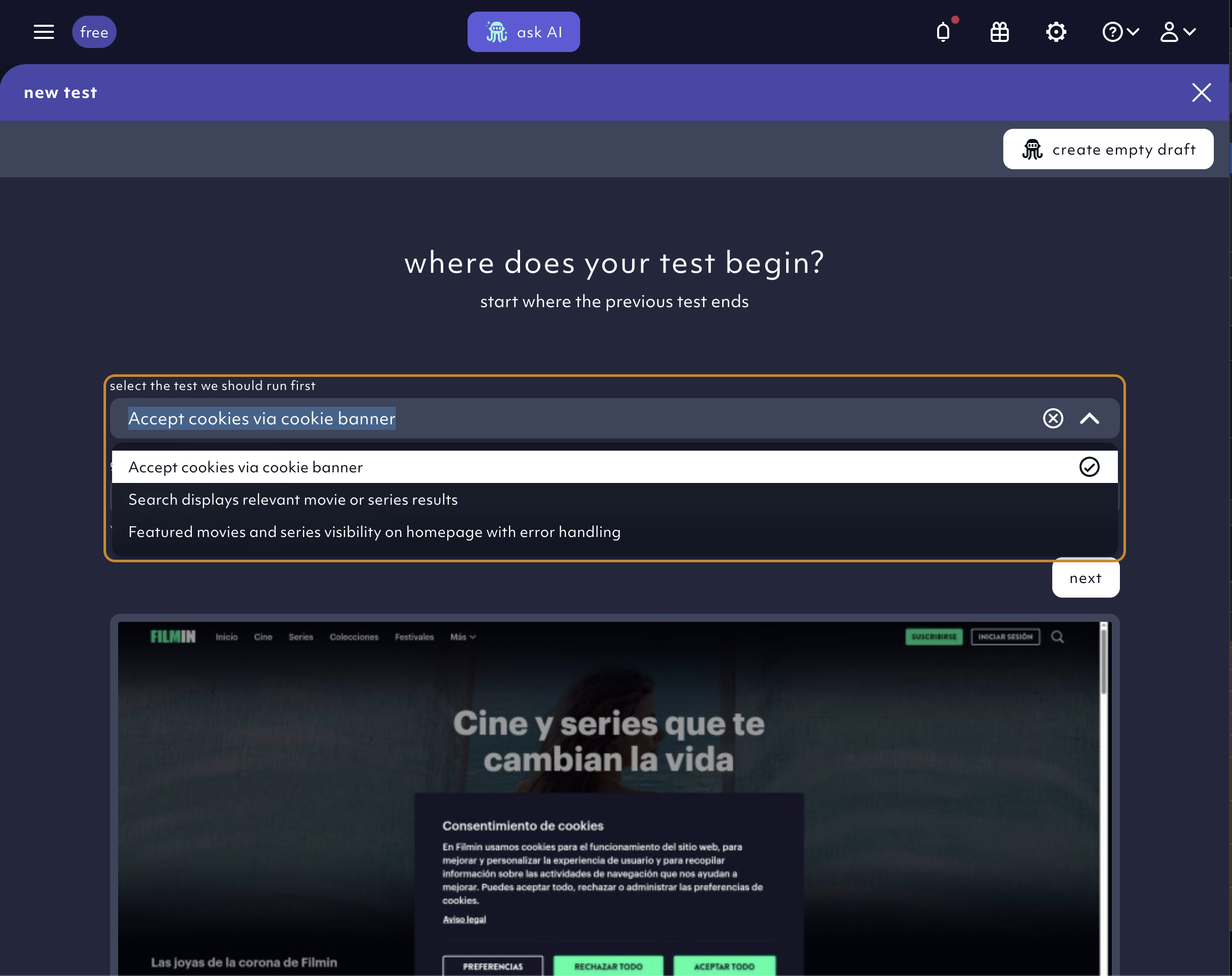
A user flow is a chain of shorter test cases. When using the AI agent, you can use a dependency to chain test cases together. Shorter flows are faster, more specific and more reliable. We fill in some dependencies for you at set-up of your Octomind project. These are the cookie banner test (in case your site has a cookie banner) and required login test if you need to be logged in to operate the app. You can keep, remove or add other dependencies if you wish. This is how you do it:- Give us a path where the AI agent should start its test case generation process, e.g.
/products/ - Select a test case that should run before the test AI agent starts its generation.
Free prompting best practices
- Keep prompts short and to the point.
- Mention all steps required, e.g. if you have to click away a cookie banner, mention it.
- Example without a cookie banner:
sign in using username $OCTO_USERNAME and password $OCTO_PASSWORD - Example with a cookie banner:
accept cookies then sign in using username $OCTO_USERNAME and password $OCTO_PASSWORD
- You have access to pre-defined variables that we will fill for you, so just use them in the prompt as they appear here and in the example above. You can also use these when manually editing a step.
-
These are the limitations so far:
- We can only handle flows which happen inside the app and in certain cases navigate to different urls. Cross-device flows are not supported. We are able to test email confirmation flow with an Octomind provided email address.
- We cannot handle captchas yet, unless it’s avoidable via custom headers
- Our AI Agent might get blocked by robot detection on some high traffic sites. Sites / apps in production are more bot-protected than staging / test systems.
- Our Agent is blocked by a rate limiter. This is how you mitigate rate limitation.
- The Agent might not support the required type of interactions & assertions yet. Manual intervention will be necessary.
- Timing and hydration issues can cause the Agent to fail, too.