

Documentation Index
Fetch the complete documentation index at: https://octomind.dev/docs/llms.txt
Use this file to discover all available pages before exploring further.
Hosted Octomind MCP Server
Octomind offers a cloud-hosted MCP server that provides an easy way to integrate with our platform without requiring local installation or configuration.Getting Started
Endpoint: https://mcp.app.octomind.dev/mcp The server uses HTTPS streaming transport protocol for reliable communication. For technical implementation details, refer to the MCP specification for streamable HTTP transport.Benefits
No local setup required - Connect directly to our hosted service Always up-to-date - Automatically maintained with the latest features Reliable connectivity - Enterprise-grade hosting infrastructure This hosted option is perfect for teams who want to quickly start using Octomind’s MCP capabilities without managing their own server infrastructure.Authentication
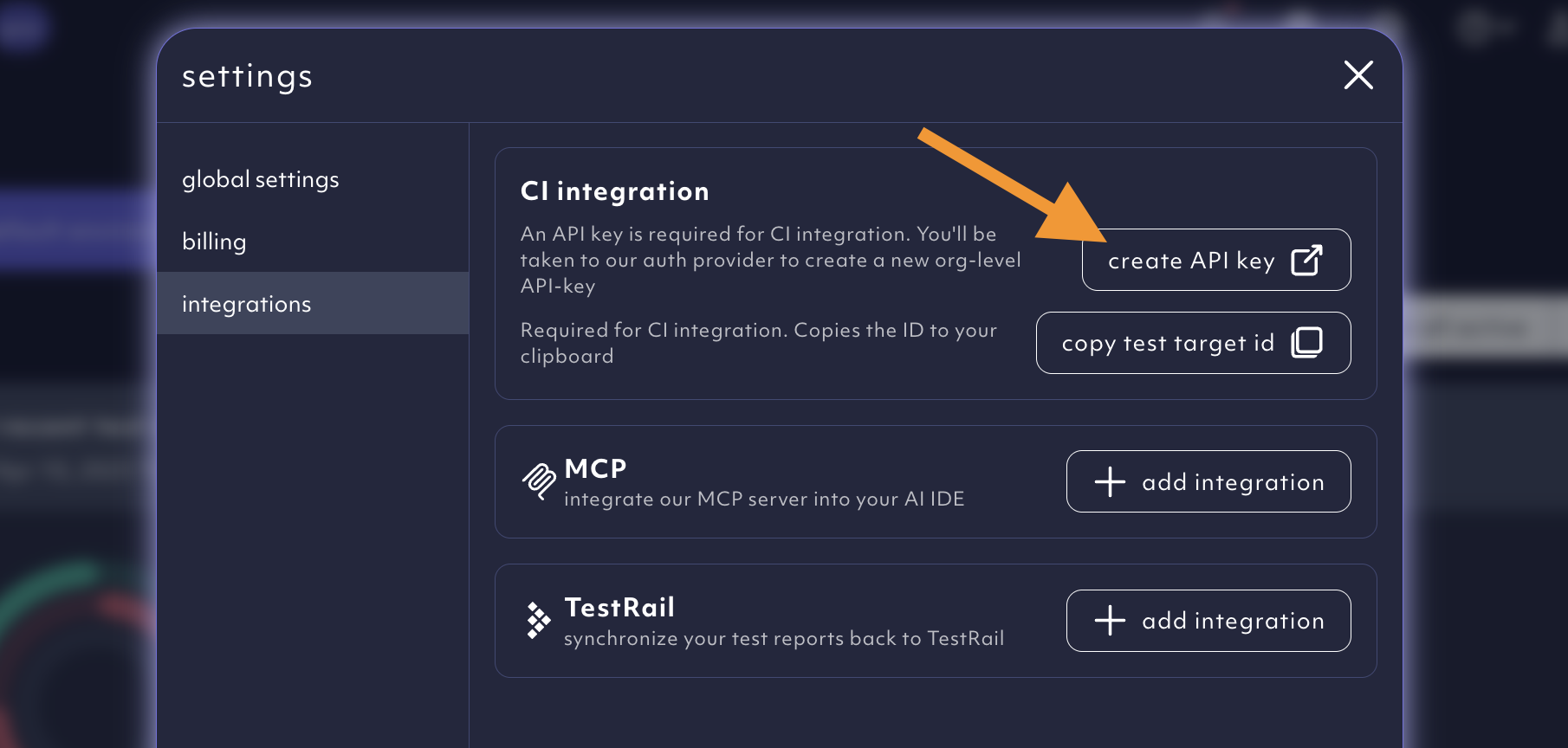
The hosted MCP server requires an API key for authentication. You can find your API key in the Octomind app under Settings > API keys. The option to create your API key can be found within the settings menu.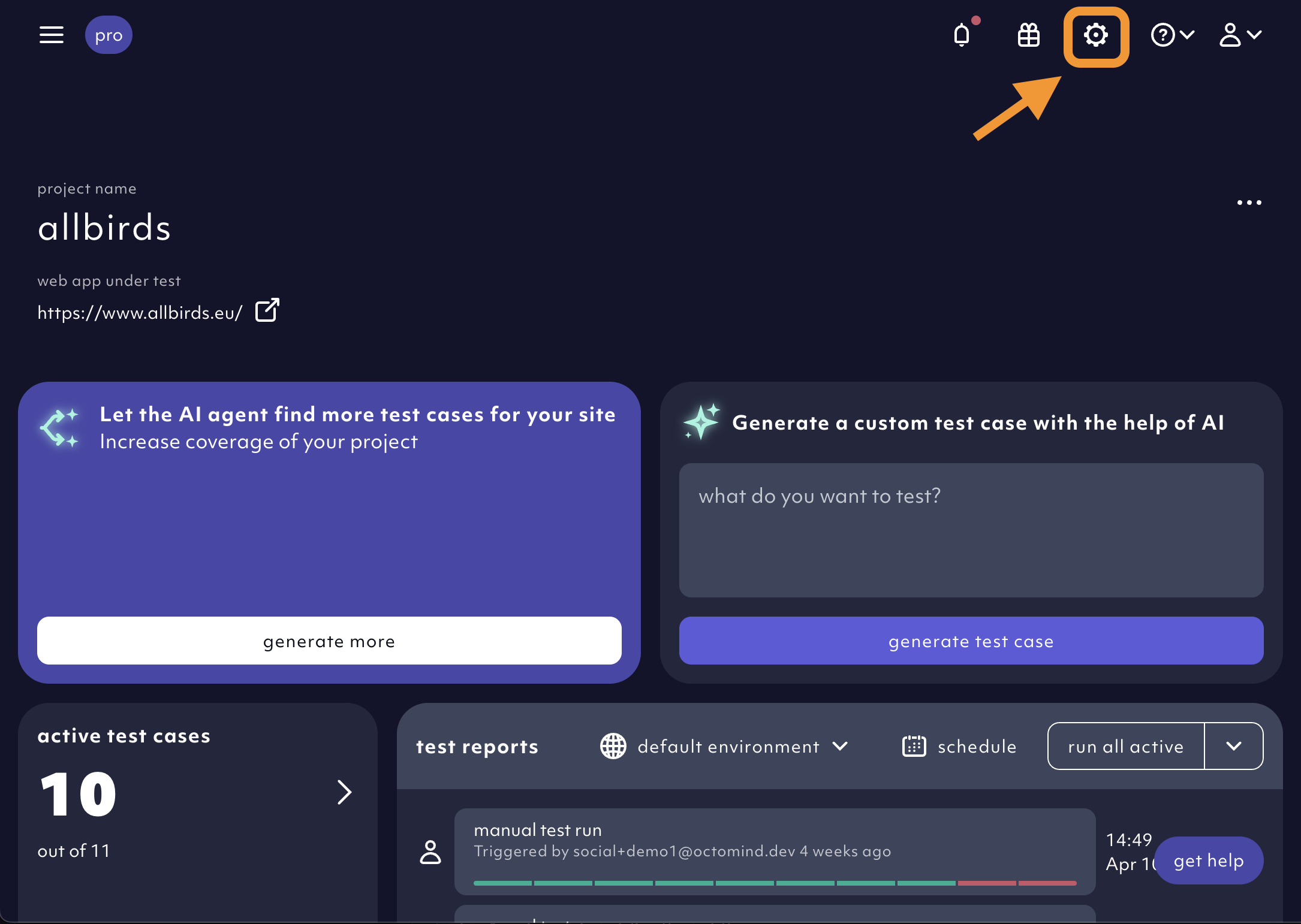
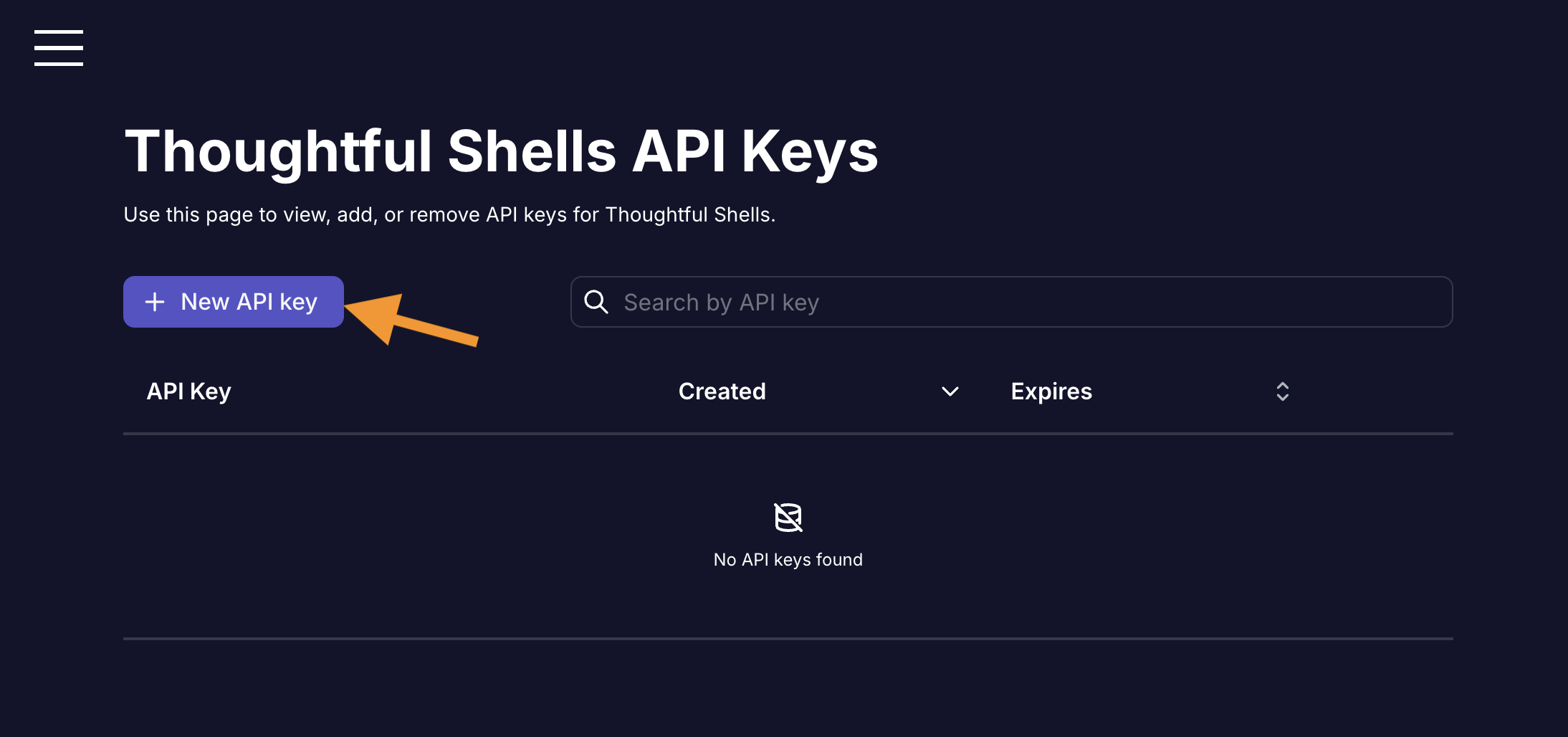
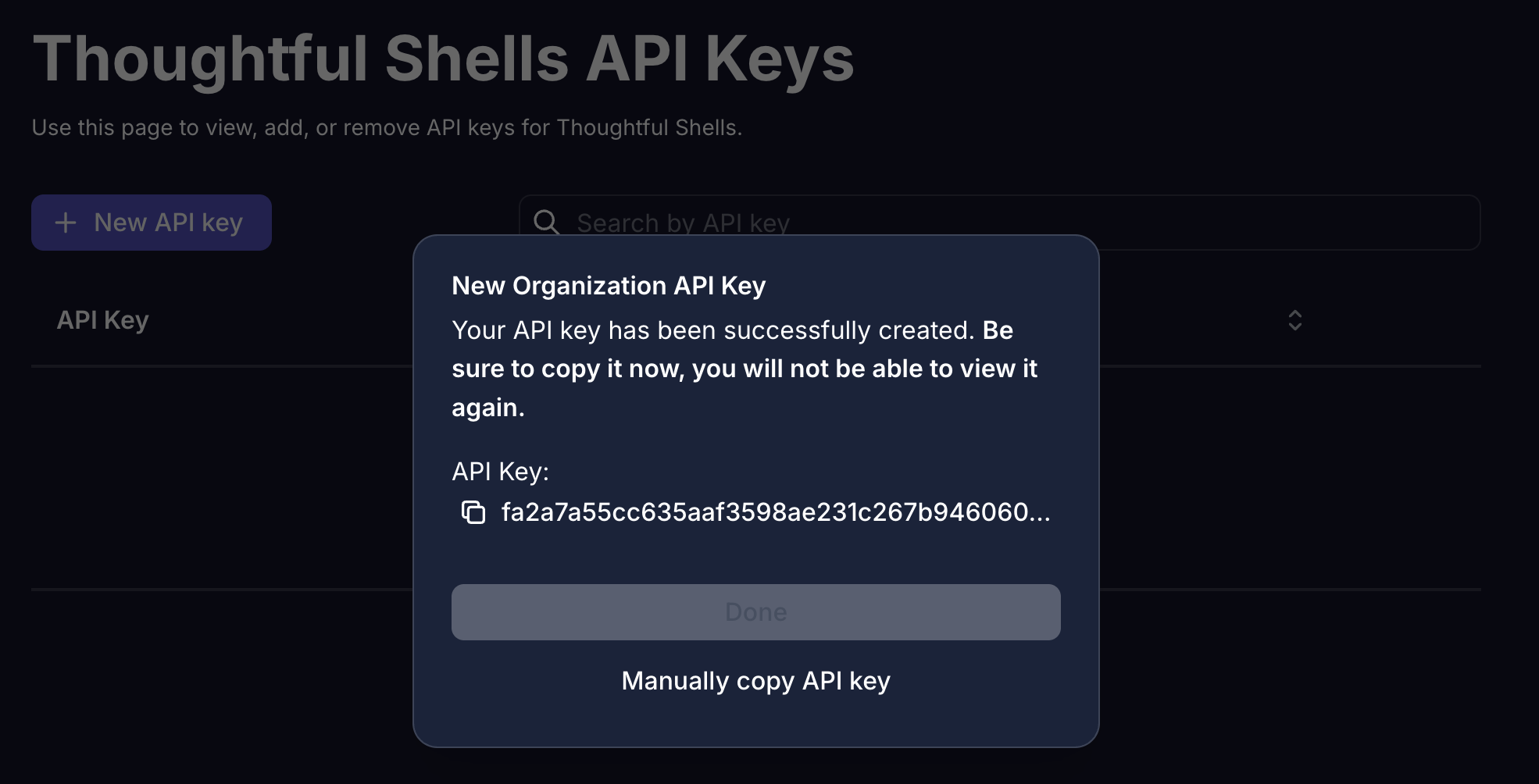
Create an API key.
x-api-key, the hosted MCP server uses Authorization: Bearer <API_KEY>.
Example client
@modelcontextprotocol/client package installed. You can install it using npm or yarn.
Set the API_KEY environment variable to your API key.
Sticky session routing
The hosted MCP server supports sticky session routing. This means that the same session will be used for all requests. To support sticky session routing, you need to set thex-session-id header to a unique value in the requestInit object.